
8 Tips On How Companies Can Use Pinterest
Published: December 29, 2011Hello. My name is Sarah and I’m addicted to Pinterest.
As in, I used Pinterest entirely to plan my wedding. Pinterest became my Christmas wish list, and I used Pinterest to shop for Christmas gifts for others. I shared it with my hairstylist, who looked at a few different pins of styles I liked before giving me a recent cut. I’ve pinned a gratuitous collection of cute animals, just because I can, I am getting together a full report on them.
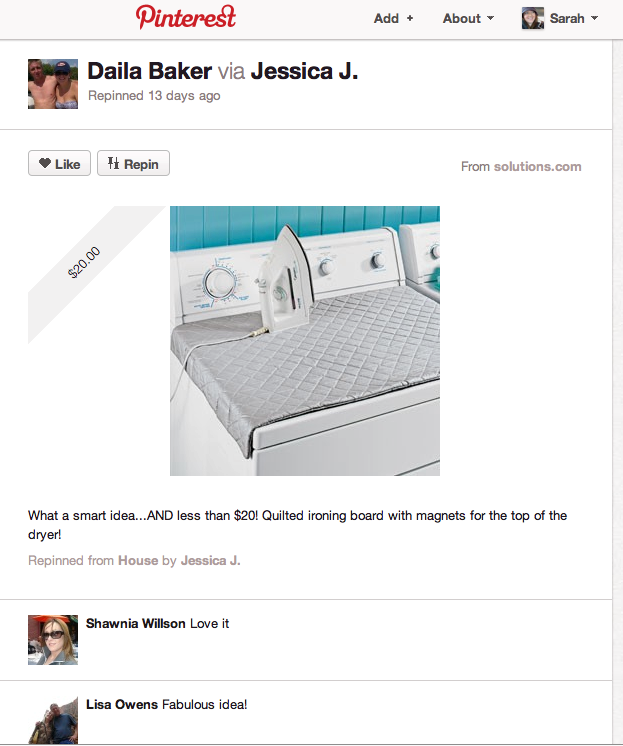
Sharing on Pinterest
It was only a matter of time before brands started to leverage Pinterest to engage with consumers. Right now, many brands are experimenting and testing to see how they can share on the site. Here are some ideas for your company to get started on Pinterest now:
- Create boards that are of personal interest to you. Remember, these days people want to get social with brands. They want to get to know the humans who work there. So create boards that curate items outside of your company’s products and interests. Show them your personality.
- Share pins from everywhere and everyone, not just from your company. Don’t just go to your website and pin every product you offer, and be done. Actively seek out things to pin that are valuable for sharing. HGTV shares a number of ‘inspiration’ boardsthat give you ideas for home remodels, projects, diy, crafts, etc.
- Include a good description in your pin(remember, it’s how people will find your pin when searching). Include a link in the description, where appropriate and useful.
- Make it easy for Pinterest users to ‘pin’ any items from your site. Along with your other social sharing buttons, include the ‘pin it’ buttonalongside photos or videos. Do some testing to see how items can be pinned from your site.
- Begin to experiment with how you can use boards for contests and promotions. Perhaps entrants need to curate board that will be judged to win a prize. Create a scavenger hunt for entrants to find hidden pins. Or create a board for followers that gives clues and hints, asking them to figure out a puzzle.
- Choose followers to help curate boardswith you. When you create a board, you have an option to choose collaborators. Are there some people who are really passionate about your brand? Let them work with you.
- Show some love and follow those back who pin from your boards. If someone repins your pin, ‘Like’ it. Take every chance you can to interact with other pinners.
- At this time, there is no option for shared admin. So create an account using a address that can be accessed by all the folks who are pinning on behalf of your brand.
Want to learn more? Here are some good reads:
- A Pinterest Beginners Guide
- How Brands Can Use Pinterest to Connect With Consumers
- Real Simple: Pinterest Drives More Traffic For Us Than Facebook
How are you using Pinterest?